Runs 100% offline — your data never leaves your PC
RenameIQ Pro The Smartest Way to Rename & Organize Your Files
Drop your invoices, contracts, and receipts — the AI reads them, extracts key data, and renames everything automatically. Supports 8 document types including bank statements, purchase orders, and NDAs. Runs 100% on your machine — nothing is ever uploaded.

See How It Organizes Your Documents
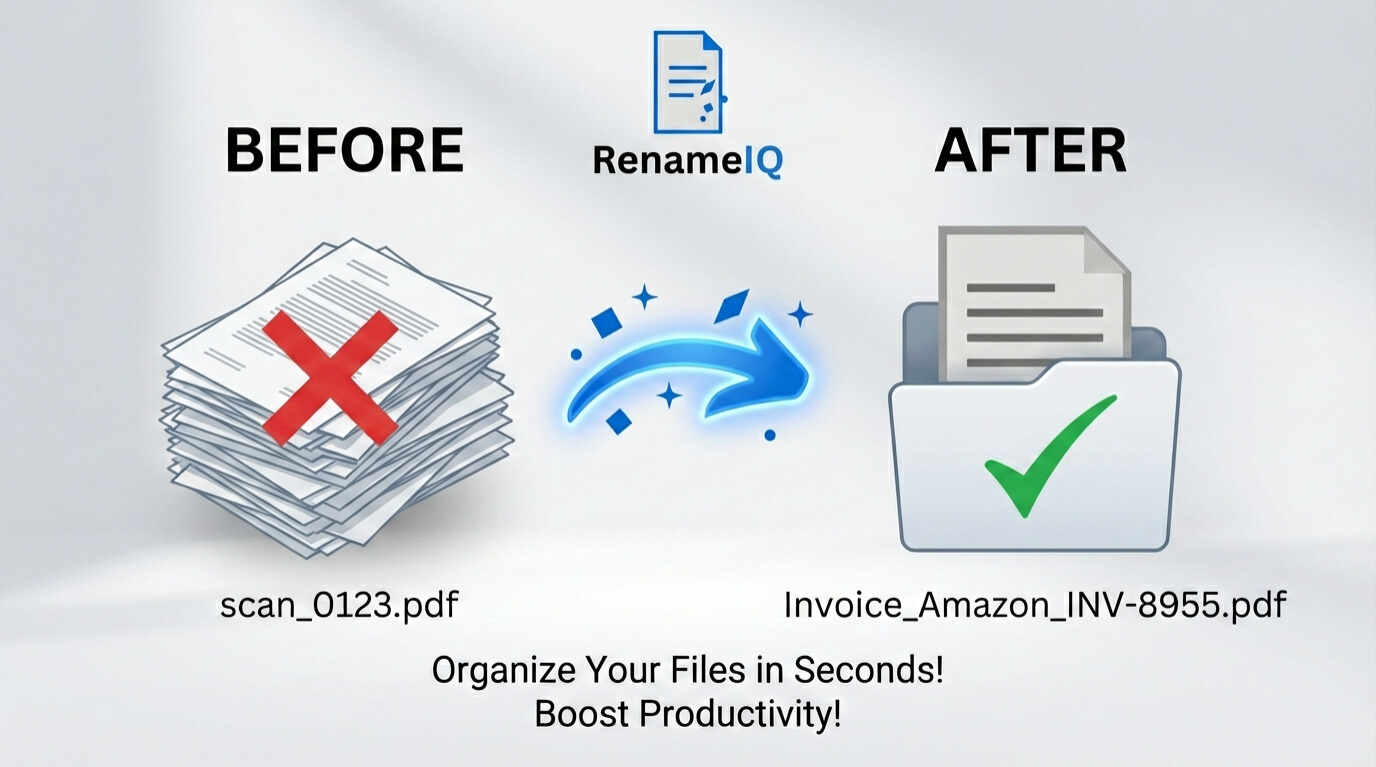
From Messy Files to Organized Archive in 3 Steps
Drop Your Documents
Drag invoices, receipts, contracts, or entire folders into the app. Supports PDFs and scanned images.
Preview Names
The AI reads each document, extracts dates, vendors, and amounts, then suggests organized filenames.
Execute Rename
One click to rename everything. All processing stays on your machine — nothing is uploaded anywhere.
Want to see it in action? Follow our guides on file organization.
Auto-Pilot for Your Incoming Documents.
Point RenameIQ to your Downloads or Invoices folder and minimize it to the tray. Every new PDF that arrives gets read, classified, and renamed automatically — no manual work needed.
- Background Service Mode
- Instant Processing (< 1s latency)
Teach the AI Your Vendors.
Have invoices from a vendor with a non-standard layout? Use Training Mode to draw a "Red Box" around specific fields (like Invoice Number, Total, or Vendor Name), guaranteeing 100% accuracy next time — no data is sent anywhere.
- Point & Click Training
- Save Templates for Specific Vendors
Draw a box around data to map it.
Stop Paying Staff to Rename Documents
Accountants and firms spend hours renaming invoices, receipts, and statements. See how RenameIQ pays for itself in one batch.
Manual Renaming
Time to rename 1,000 files
Cost at $30/hr
RenameIQ Pro
Time to rename 1,000 files
Limited Offer Price
Find the Right Plan for You
Start for free. Upgrade when you're ready — one-time payment, no subscriptions.
Free Trial
Test the core features, risk-free.
Free
- 50 File Renames
- Core AI & OCR Features
- 100% Offline Privacy
Lifetime License
One payment, unlimited organization.
$99.99
$39.99
- Unlimited File Renames
- Core AI & OCR Features
- 100% Offline Privacy
- Future Lifetime Updates
- Install in 3 Workstations
A Closer Look at the Features

Finance
Invoices, Receipts, POs, Statements.
Legal
Contracts, NDAs, Agreements.
Logistics
Delivery Notes, Shipping Manifests.
HR
Resumes, Employee Records.
Real Estate
Deeds, Leases, Property Files.
Medical
Patient Records, Insurance Forms.
Education
Transcripts, Research Papers.
Personal
Photos, eBooks, Music Library.
How to Automatically Rename Invoices
Stop typing vendor names and dates manually. With RenameIQ Pro, you can drop hundreds of invoices
into the app, and the AI will automatically apply a custom naming convention like
Vendor - Date - Amount.pdf. Using the built-in Auto-Pilot feature, the
software can watch your downloads folder and rename invoices the second they arrive — running
completely offline.
Load files: Drag and drop your messy invoice PDFs into RenameIQ.
AI Extraction: The offline algorithms instantly extract the vendor, date, total amount, and invoice number.
Batch Rename: Review the suggested file names and click "Execute" to organize everything perfectly.
Frequently Asked Questions
Yes! RenameIQ Pro is perfectly designed to read vendor names,
dates, totals, and invoice IDs from your scanned or digital invoices. It seamlessly
batch-renames thousands of files to a standardized format (such as
Vendor_Date_InvoiceNumber.pdf) using 100% local, offline AI classifiers.
RenameIQ Pro uses 8 specialized AI models to identify and sort: Invoices, Purchase Orders, Receipts, Delivery Notes, Bank Statements, Employment Contracts, NDAs, and General Agreements.
Simply select a folder (like Downloads) for RenameIQ to watch. Minimize the app to the system tray, and it will automatically detect, read, and rename any new PDF or image file you save there in the background.
Yes. If the AI misses a vendor, use the Training Mode to draw a "Red Box" around the vendor name or invoice number. RenameIQ will save this template and prioritize it for future files.
Absolutely. RenameIQ is architected to run 100% offline. No document ever leaves your local machine, making it compliant with strict data privacy requirements (GDPR/HIPAA capable workflow).
Yes. The built-in OCR Engine reads text from scanned PDFs, JPGs, PNGs, and TIFFs, even if you can't select the text manually.
On a standard CPU, it processes ~1 file every 3-4 seconds. If you have an NVIDIA card, you can enable GPU Acceleration for speeds up to 20x faster.
Yes. You can choose different strategies (e.g.,
Vendor - Date - Type.pdf), set date formats (ISO, US, EU), and force text
casing (UPPER, lower, Title) in the Settings panel.
RenameIQ includes a processing queue where you can review names before executing. If you auto-rename, the One-Click Undo feature lets you instantly revert any batch operation.
RenameIQ runs on Windows 10 or Windows 11 (64-bit). It requires a minimum of 8GB RAM. A quad-core processor is recommended for multitasking.
No. The license is a One-Time Lifetime Purchase. You pay once and get the software forever, including all updates within the v1.x and v2.x series.
Your Purchase is Risk-Free
30-Day Money-Back Guarantee
If you're not satisfied for any reason, contact us within 30 days for a full refund. No questions asked.
Secure Payments
All payments are processed securely by our partner, Payhip. We never handle your credit card information directly.
100% Offline & Private
Your files are always your own. RenameIQ processes everything on your local machine, ensuring your data remains private.
Ready to Automate Your File Organization?
Download the free trial or lock in a lifetime license — pay once, use forever.

From the Creator at LibroGadget
"We built RenameIQ because sensitive files shouldn't be uploaded. Our offline-only engine guarantees your data never leaves your computer, giving you total privacy and peace of mind."