
TL;DR: Key Takeaways
- The Challenge: Law firms lose billable hours hunting for poorly named
scanned PDFs like
SCAN001.pdfin shared drives. - The Solution: AI-powered renaming tools automatically extract party names, dates, and contract types to build consistent, searchable filenames instantly.
- Client Confidentiality: Protecting privilege means avoiding the cloud. Top firms use 100% offline tools like RenameIQ to guarantee privacy.
Every law firm has a dirty secret: a shared drive full of documents named
SCAN001.pdf, contract_final_FINAL2.pdf, and
NDAdraft(JM edits)(reviewed).docx. When a paralegal needs to pull a specific NDA for
review, it turns into a 20-minute scavenger hunt. There's a better way.
The Legal Document Naming Problem
Law firms are paper-intensive by nature. Even "paperless" firms deal with enormous volumes of scanned documents — contracts, pleadings, engagement letters, discovery materials, corporate filings, and settlement agreements. The problem isn't the volume. It's the naming.
When a secretary scans a stack of 50 documents, the scanner names them sequentially:
DOC_001.pdf through DOC_050.pdf. Those files then sit on the server,
completely unsearchable by name. Need to find the Johnson NDA? Good luck. You'll have to open
each one until you find it.
Multiply this by every client, every matter, every year, and you've got a file management crisis hiding in plain sight.
How AI Solves Legal Document Naming
AI-powered document renaming works by analyzing the actual content of each file. Instead of relying on whatever name the scanner or email attachment gave it, the AI reads the text inside the document and extracts meaningful information: party names, document types, dates, and key terms.
RenameIQ Pro ships with a Legal Profile specifically designed for law firm documents. It understands the difference between an NDA, a retainer agreement, and a court filing — and names them accordingly.
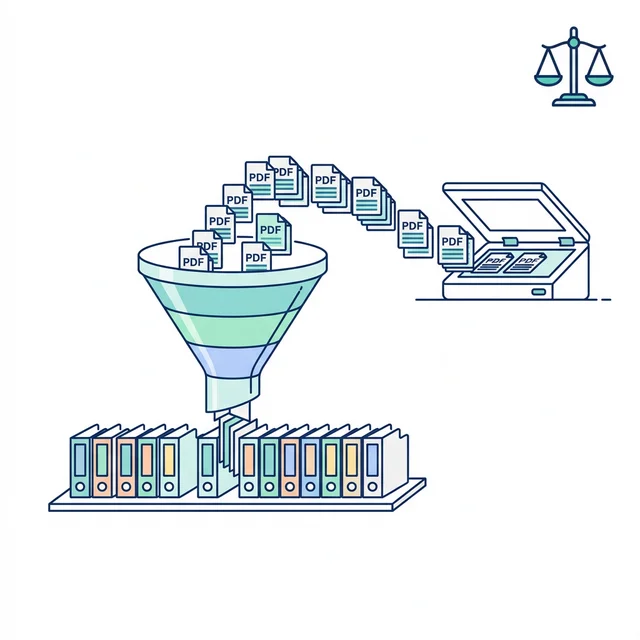
Step-by-Step: Renaming Legal Documents with RenameIQ
- Scan your documents as usual. Don't worry about naming them during scanning — let the scanner use its default sequential names.
- Open RenameIQ Pro and drag the scanned folder into the app window.
- Select the Legal Profile in Settings. This configures the AI to extract:
- Document type (Contract, NDA, Amendment, Letter, Filing)
- Parties involved (e.g., "Smith Corp" and "Jones LLC")
- Execution date or filing date
- Reference numbers or case numbers
- Choose your naming format. For example:
Type_Parties_Date.pdf→NDA_SmithCorp_JonesLLC_2026-01-15.pdf - Process and review. RenameIQ previews every proposed name. For the occasional document where the AI isn't 100% sure, it flags it for your review. Double-click to edit.
- Execute the rename. One click. All done.
Why Confidentiality Matters Here
Under the ABA Model Rule 1.6 on Confidentiality, attorney-client privilege extends to how you handle and process client data — including file management. Cloud-based NLP and renaming tools require uploading your documents to external servers. For firms handling sensitive litigation, corporate transactions, or criminal defense work, that's a massive risk.
RenameIQ processes everything 100% offline, on your machine. Your client files never leave your network. No cloud. No API calls. No third-party data processing.
Legal Use Cases for AI Document Renaming
Discovery Management & Practice Software
Discovery can involve thousands of documents. When opposing counsel produces a USB drive with 5,000 generically named PDFs, your paralegals can run the entire batch through RenameIQ before uploading it all into practice management software like Clio or MyCase. Each document gets renamed based on its content — type, parties, date — making review and organization dramatically faster.
Corporate Transaction Rooms
During an M&A deal, the data room fills with hundreds of corporate documents: articles of incorporation, board resolutions, stock certificates, and financial statements. RenameIQ can process the entire room in minutes, applying consistent naming conventions across all files.
Estate and Probate Files
Estate matters produce a unique mix of documents: wills, trusts, deeds, tax returns, insurance policies, and correspondence. Instead of a paralegal spending days organizing the file, RenameIQ reads each document and applies a consistent, human-readable naming format.

Recommended Naming Conventions for Law Firms
| Convention | Example | Use Case |
|---|---|---|
Matter_Type_Date |
Johnson-v-Smith_Motion_2026-02-14.pdf | Litigation files |
Client_DocType_Parties |
AcmeCorp_NDA_AcmeCorp-WidgetInc.pdf | Corporate transactions |
Date_Type_Description |
2026-01-10_Letter_EngagementAgreement.pdf | General correspondence |
Getting Started
If your firm is spending paralegal hours on file renaming, it's time to automate. The process takes about 5 minutes to set up, and the first 50 renames are free — no credit card required.
Download RenameIQ Pro and see the difference in your first batch. For a complete feature walkthrough, check our step-by-step tutorial.
📚 Related Reading: See how firms automate their entire document pipeline in our document automation guide. Or learn how to protect critical files with our local version control guide.
Frequently Asked Questions
How can law firms organize scanned PDFs automatically?
Law firms can use AI-powered tools like RenameIQ Pro to organize scanned PDFs. The tool reads the content of each document — identifying document types (contracts, NDAs, filings), party names, dates, and reference numbers — then renames every file automatically using a consistent naming convention. No manual review is needed for most documents.
Is AI document renaming safe for confidential legal files?
Yes, when using an offline tool. RenameIQ Pro runs entirely on your local machine — no files are uploaded to the cloud, no internet connection is required, and no client data leaves your network. This makes it safe for attorney-client privileged documents, discovery materials, and sensitive litigation files.
What types of legal documents can AI rename?
AI document renaming tools with a Legal Profile can identify and rename contracts, NDAs, engagement letters, court filings, discovery documents, corporate resolutions, estate documents, settlement agreements, and general legal correspondence. The AI extracts party names, document types, dates, and reference numbers from the content.
What file naming convention should law firms use?
Common naming conventions for law firms include Matter_Type_Date (e.g., Johnson-v-Smith_Motion_2026-02-14.pdf) for litigation, Client_DocType_Parties (e.g., AcmeCorp_NDA_AcmeCorp-WidgetInc.pdf) for transactions, and Date_Type_Description for general correspondence. Consistency across the firm is more important than the specific format.