Key Takeaways: Secure Document Workflows
- Avoid Data Hacks: Trusting sensitive business contracts to standard consumer-grade cloud services creates vulnerabilities. Local NAS structures offer ultimate physical security.
- Standardized Infrastructure: Use strict file naming structures within your local network rather than relying on poorly-mapped cloud software searches.
- Automate Offline: Replace complex cloud workflows with secure desktop utilities like RenameIQ to parse, sort, and organize documents automatically without relying on internet connectivity.
For years, small business owners were told that the only way to modernize their operations was to move 100% of their data to the cloud. However, after repeated high-profile data breaches and escalating monthly subscription fees, a major shift is occurring in 2026. Companies are reclaiming their data and pivoting back to intelligent, secured local storage.
The Cost of Cloud Convenience
Consumer cloud storage is incredibly useful for collaborating on non-sensitive materials in real-time. But for holding highly sensitive PII (Personally Identifiable Information) like client ID cards, W-9 tax records, or trade secret blueprints, it introduces significant risk. The Cybersecurity & Infrastructure Security Agency (CISA) continually stresses the importance of minimizing attack surfaces. Storing every piece of company history on a publicly accessible web bucket increases that surface drastically.
Building an Offline Document Management System
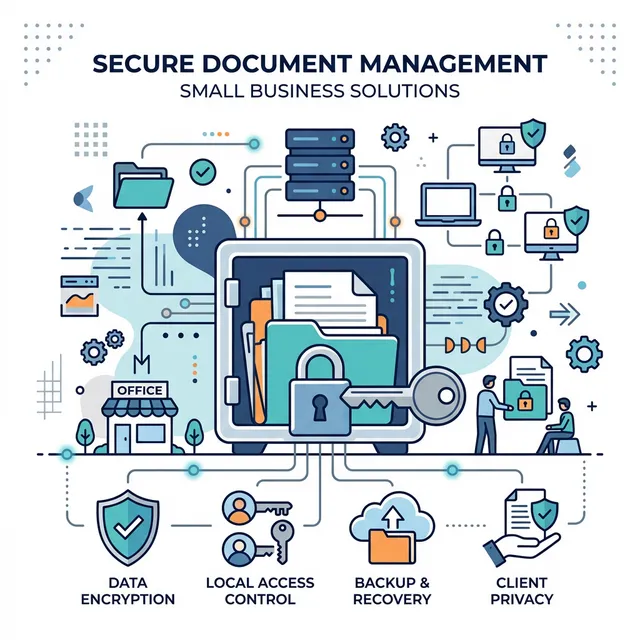
Implementing secure document management doesn't mean moving back to filing cabinets. It means building a "Local-First" digital infrastructure:
- Hardware (NAS Vault): Equip your office with a NAS (Network Attached Storage) drive like Synology. It acts like a local cloud that only employees inside your building or on an encrypted VPN can access.
- Intelligent Ingestion: Use a software tool like RenameIQ to sit between your office scanner and the NAS. It acts as the gatekeeper, reading each document offline, categorizing it, formatting the file name correctly, and funneling it to the correct folder.
- Encrypted Backups: Follow the 3-2-1 backup principle. Your local NAS serves as the primary repository; an offline external drive functions as the secondary copy, and an end-to-end encrypted backup service ensures disaster recovery.
Reducing the IT Budget
Enterprise document management systems frequently charge upward of $50 per user per month just for access. Transitioning to a local-first workflow utilizing a NAS and one-time software licenses can save a typical 5-person business thousands of dollars annually, while remaining fundamentally more robust against external hacks.
Data privacy is no longer a luxury feature; it is an economic necessity. Protecting your small business documents means keeping them behind your walls, processed by intelligent desktop tools that you fully control.
Frequently Asked Questions
Is local document management cheaper than cloud storage?
Yes, over a multi-year period, purchasing a NAS (Network Attached Storage) paired with offline software licenses is significantly cheaper than accumulating monthly per-user subscription fees associated with cloud platforms.
How do I search documents if they aren't stored in the cloud?
By employing extreme consistency in your file naming rules and utilizing fast desktop search algorithms (like 'Everything' for Windows), locatability is often much faster and more accurate than disjointed cloud search engines.
Can automated document management run offline?
Yes. Tools like RenameIQ can perform Optical Character Recognition (OCR), text extraction, and complex file routing natively on your local PC entirely independently of web connections.