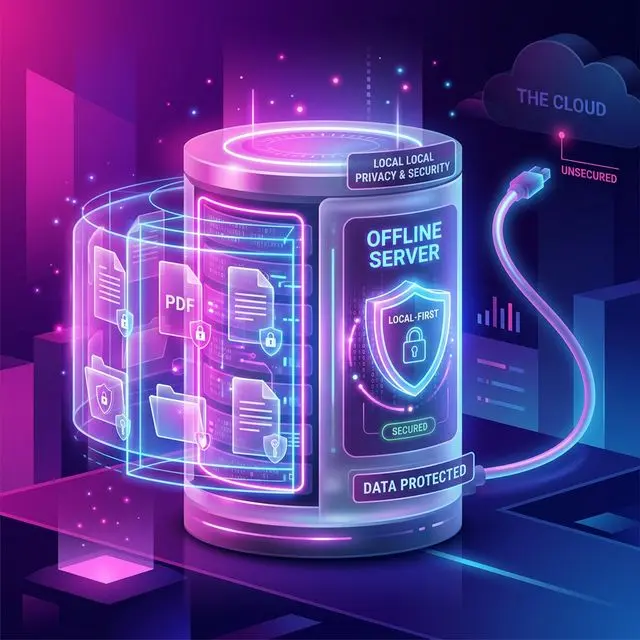
Key Takeaways: Local-First Software
- Data Sovereignty: Local-first software stores the primary copy of your files on your personal computer, entirely independent of cloud servers.
- Eliminating Subscriptions: Cloud software relies on recurring bandwidth fees. Local-first tools operate on the raw processing power of your Mac or PC, typically allowing for one-time purchases.
- Instant Speed: Performing massive tasks, like batch renaming 1,000 files or running OCR occurs instantly because there are no upload/download constraints.
- Unbreachable Privacy: Software like RenameIQ cannot leak your documents to third parties, as the code executes air-gapped on your internal CPU/GPU.
For over a decade, the tech industry pushed a singular narrative: everything must migrate to the cloud. We were told it was safer, faster, and more convenient. Yet, as we progress into 2026, a massive counter-movement is sweeping through the productivity and software world. It's called "Local-First".
Whether you are an accountant dealing with highly sensitive client PII, a lawyer handling discovery exhibits, or simply a power user exhausted by escalating monthly subscription fees, the "local-first" software architecture is reclaiming the desktop computing experience. In this guide, we dive deep into why local file management is making a monumental comeback and how it effectively neuters the risks associated with the modern cloud.
What Does "Local-First" Actually Mean?
Historically, modern SaaS (Software as a Service) applications operated as thin clients. When you opened a web browser to manage your PDFs or spreadsheets, everything was taking place on a centralized server owned by Google, Amazon, or Microsoft. Your browser was simply a window into that remote processing unit.
Local-first software flips this architecture on its head. In robust local-first design, the primary database, the processing logic, and the UI all exist natively on your computer's local hard drive. The application leverages the raw computational horsepower of your M4 Mac or your Windows 11 Intel CPU. The cloud is relegated to a subservient role—used strictly for opt-in syncing or end-to-end encrypted backup. It is never the central source of truth, and it is never the processing brain.
The 3 Catalysts Accelerating the Offline Movement in 2026
1. AI Telemetry and Data Scraping Anxiety
Over recent years, multiple major cloud platforms silently updated their Terms of Service agreements to allow user data to be utilized for training their internal Large Language Models (LLMs). If you upload a sensitive financial forecast or an HR employee dispute into a "free" cloud PDF tool, that document is routinely ingested, parsed, and digested by a black-box AI model across the internet.
This represents an unacceptable liability, especially for professionals managing confidentiality. This anxiety has fundamentally renewed interest in finding out why offline storage is inherently safer.
2. Zero Latency Execution
Have you ever attempted to upload a folder containing 500 high-resolution scanned invoices to an online batch processing tool? Even on fiber-optic connections, the latency associated with network handshakes, uploading, server-side queuing, processing, and re-downloading is excruciating.
Because local-first tools like RenameIQ run natively in memory directly alongside your SSD, manipulating thousands of files happens in literal milliseconds. There is no loading spinner required to read the disk that is physically located 14 inches from your face.
3. Subscription Fatigue
Cloud processing is expensive to maintain, which is why almost all web-centric tools have devolved into permanent $15-per-month subscriptions. By moving the processing logic to the end-user's desktop hardware, software developers do not have to pay Amazon Web Services (AWS) for computing power. This directly enables the rebirth of the perpetual license—the one-time fee model that consumers have been begging to return.
How Document Automation Benefits Extreme Privacy
Nowhere is the local-first approach more beneficial than in the realm of document automation and file renaming. Let's look at the average workflow for a small business accountant. An accountant will receive a massive ZIP file of mixed receipts and tax documents from a client.
If the accountant uses cloud software, they are transmitting their client's social security numbers into the ether just to figure out what a document says.
If the accountant uses a local-first application built around native Optical Character Recognition (OCR), they can bulk-drag all 2,000 files into the local software. The tool reads the pixel data on the user's isolated graphics processing unit (GPU), locates data points like "Vendor Name: Ace Hardware" and "Date: 12/05/2026", and subsequently renames the file container instantly. Zero bytes of data ever left the local network. This makes rigorous standards like HIPAA Compliance significantly easier to maintain structurally.
The Myth of Cloud Reliability
A prominent argument against offline software was that hard drives crash, and therefore the cloud is necessary for longevity. The local-first movement does not advocate against backups. Rather, it distinguishes between "processing" and "archiving".
You perform your manipulation locally. When you are finished renaming and organizing your directories, you employ passive, encrypted syncing (using systems like Synology NAS, or encrypted Restic backups) to safe harbor the cold data. You never lose the architectural independence that local operation guarantees. If your internet connection dies at 2:00 PM on a Tuesday, your workflow is uninterrupted.
Frequently Asked Questions
Is local-first software the same as "offline" software?
They share similarities, but local-first explicitly means the primary operational logic exists locally. It may briefly touch the internet to verify a license or pull down an update, but its core function (like renaming files or applying offline OCR) works with zero network connectivity.
Why doesn't every company build local-first applications?
Building local software is fundamentally harder for developers than web platforms because they must account for various operating systems (Windows, Mac, Linux) and varying hardware speeds. Furthermore, the subscription web model is far more profitable for massive corporate entities.
Does RenameIQ require an internet connection to read my files?
Absolutely not. RenameIQ packages high-speed, localized AI models natively within its Windows installer. Once executed, it can read text from PDFs, extract dates, and apply rulescripts without ever communicating with external servers.
Is local file management inherently faster than cloud sorting?
Drastically faster. A local Solid State Drive (SSD) can process and read data at rates of 7,000 MB per second. A standard gigabit internet connection processes data at roughly 125 MB per second, making local-first operations up to 50 times faster for massive datasets.